Page 1 of 1
Custom Icons
Posted: Mon Aug 10, 2026 10:22 am
by chrishn462
Hi
Using 1.9.3 version Windows 10 64 bit.
I am happy to see custom icons but I failed to import any icons. I suspect that there has to be criteria to succeed in importing them. I tried .jpg, .bmp, .ico and all failed.
So please can you tell us some instructions how to import them successfully - file format and min/max sizes and resolution etc,
I thank you in advance.
@chris_aerospace
Re: Custom Icons
Posted: Mon Aug 10, 2026 5:47 pm
by Renato
As far as I know, you have to use the SVG format.
Re: Custom Icons
Posted: Tue Aug 11, 2026 2:27 am
by GroenieDieDraak
I was able to import svg and png. Did not try other formats.
Re: Custom Icons
Posted: Tue Aug 11, 2026 10:27 am
by chrishn462
Hi
I just found out by reading the first line of the details of the error message: it could not be able to copy to..... %APPDATA%\Roaming\MoneyManagerEx\icons.
For either or both reasons (I do not know for sure yet):-
1. MoneyManagerEx may have no rights to create "icons" folder and copy the image into the new "icons" folder.
2. There was no "icons" folder in %APPDATA%\Roaming\MoneyManagerEx folder so I manually created "icons" folder and copy the .png image (128px by 81px) into the "icons" folder and it was success but the image somewhat is squashed (sideways) so I resized it as 128px square with extra white borders top and bottom

- natwest squashed.png (7.07 KiB) Viewed 9080 times
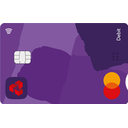
- natwest 128px_square.png (9.94 KiB) Viewed 9080 times
So I opened MMEX and changed one of my current accounts' icon and it works.

Cheers
@chris_aerospace
Re: Custom Icons
Posted: Tue Aug 11, 2026 11:52 am
by chrishn462
Hi all
I just remembered the icon sizes..... it can be found in settings > view > user interface.
So it helps me to create icons with the aforesaid dimensions - either 48x, 32px, 24px or 16px (presumably square).
So I created 48px (the largest one) for all my .png icons with extra borders at the top and bottom of the icon image so that the icon doesn't get 'squashed'.
MMEX Custom Icons
48px square (largest)
48px square canvas,
48px wide by 34px high image, centred vertically (i.e. 7px alpha transparency or white borders each at top and bottom).
Save it as .png file.
HTH
@chris_aerospace