Page 1 of 1
Scheduled Transactions
Posted: Sat Nov 03, 2018 3:04 pm
by timkendal
Just started using MMEX - it's wonderful!
Can someone explain how to have Scheduled Transactions posted automatically on the due day. At the moment they are all marked Manual in the list of Scheduled Transactions and if I double click one, there is no option to alter this.
To get them entered, I have to right click then select "Enter Next Occurrence", which is rather cumbersome!
MacOS Mojave
Thanks
Re: Scheduled Transactions
Posted: Sun Dec 02, 2018 1:39 pm
by timkendal
I posted this about a month ago, and have now found the answer which I will share!
When entering a Recurring Transaction, if you want it to be entered automatically on the due date, you have to click TWO boxes
a) "Request user to enter payment on Date Paid"
b) "Grant automatic execute permission for this entry"
The second box is greyed out to start with, but becomes available when you click the first.
When this has been done, and you complete the other details required, and click OK to enter the Recurring Transaction, you will find it is marked "Automated" in the autorepeat column, which is what you want.
As mentioned in my original post, the entry will be marked Manual in the autorepeat column if you do not click both boxes, and the entry will not be posted in the ledger automatically
I hope this helps!
The descriptions for the 2 boxes mentioned above are not very clear!
Re: Scheduled Transactions
Posted: Fri May 02, 2025 7:59 am
by ivan711
Hi,
I created my scheduled tasks and checked option b) "Grant automatic execute permission for this entry." However, the task is not executed automatically—I have to go into the scheduled tasks menu and trigger it manually each time. What’s the point of this setting if it doesn’t do what it’s supposed to?
Re: Scheduled Transactions
Posted: Fri May 02, 2025 6:32 pm
by Renato
A printscreen of the transaction would help to solve the problem.
Re: Scheduled Transactions
Posted: Tue Jun 03, 2025 5:28 am
by ivan711
I don't know how to insert an image.
In the options, I selected the second checkbox: "Authorize automatic execution." but I must click "enter" manually for execution the task
Re: Scheduled Transactions
Posted: Tue Jun 03, 2025 5:40 am
by alfred07380
ivan711 wrote: Tue Jun 03, 2025 5:28 am
I don't know how to insert an image.
In the options, I selected the second checkbox: "Authorize automatic execution." but I must click "enter" manually for execution the task
For a printscreen, just see below this editor : you have a tab with the name "attachments".
In this tab you have an "add files" button.
Which version of mmex you use ?
Re: Scheduled Transactions
Posted: Tue Jun 03, 2025 8:37 am
by ivan711
version 1.9.0 64-bit
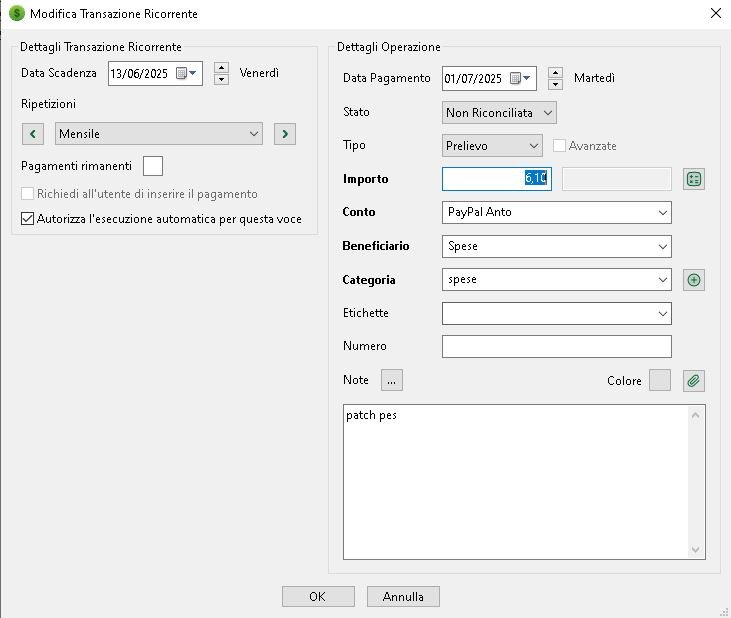
- Cattura.JPG (44.79 KiB) Viewed 28397 times
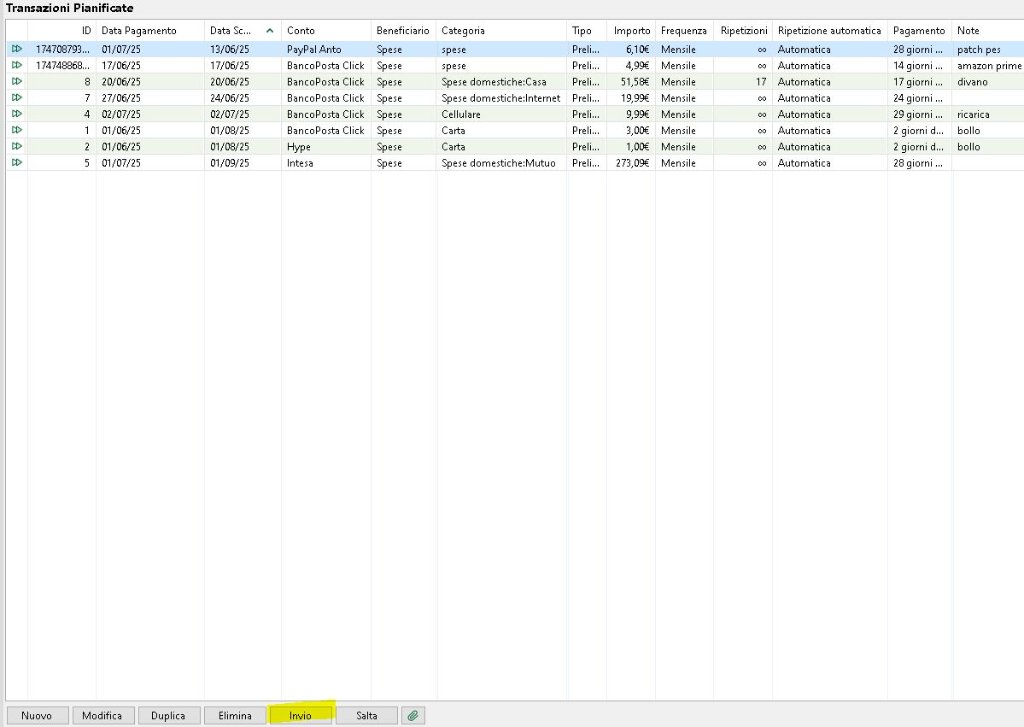
- Cattura.JPG (71.98 KiB) Viewed 28397 times